
Dimmer/Strobe/Black-out module
|
|
|
- Arnoldo Campana
- 9 anni fa
- Просмотров:
Транскрипт
1 Foglio di Istruzioni Owner s Manual Dimmer/Strobe/Black-out module GR0635 GR0635 Rev Nov 2002

2 INDICE 1.0 CONTENUTO DELL IMBALLAGGIO SICUREZZA INSTALLAZIONE Montaggio sul proiettore USO DEL DISPOSITIVO GR Creazione di un programma (Utilizzo senza controller) Esecuzione di un programma PARTI DI RICAMBIO 5 Pag. INDEX 1.0 PACKING SAFETY INSTALLATION Mounting position USE OF THE GR Creating a program (Use without controller) Executing a program SPARE PARTS 8 Page

3 1.0 CONTENUTO DELL IMBALLAGGIO Controllate attentamente il contenuto del cartone e, in caso di danni al prodotto, contattate il Vs. trasportatore. Nell imballaggio sono contenuti i seguenti prodotti: n 1 accessorio Dimmer/Strobe/Black-out module; n 1 Foglio di Istruzioni; 2.0 SICUREZZA L accessorio Dimmer/Strobe/Black-out module è stato progettato per essere utilizzato esclusivamente con un proiettore PRO-MOTION Prima di effettuare qualsiasi operazione sul proiettore, sconnettere fisicamente la linea di alimentazione staccando la spina (ad esempio durante l installazione degli accessori). Attenzione: lampada molto calda. 3.0 INSTALLAZIONE 3.1 Montaggio sul proiettore Per installare l accessorio Dimmer/Strobe/Black-out module sul proiettore PRO-MOTION attenetevi alle seguenti istruzioni: 1) Rimuovere il coperchio superiore: allentare le due viti laterali A fig.1 (il coperchio rimane comunque legato al proiettore tramite un cavetto); 2) Allentate le due viti (D fig.1) e infilate l accessorio Dimmer/Strobe/Black-out module all interno del proiettore facendo corrispondere le asole di fissaggio con le viti. Sono presenti dei riferimenti colorati di blu sia sul proiettore che sul dispositivo; 3) Stringere le viti (D fig.1); 4) Collegate il cavo piatto di alimentazione (figura 2) ad uno dei morsetti di alimentazione presenti sul proiettore (B fig.1); Morsetti alimentazione ventole fig.1 NOTA: Il morsetto di alimentazione del proiettore deve sempre essere collegato, o scollegato, a proiettore spento. 5) Richiudete il coperchio del proiettore prestando attenzione ai morsetti che portano l alimentazione alle ventole che devono assemblarsi come mostra la figura a lato. Verificate quindi il funzionamento delle ventole. fig.2 3

4 Importante: A seconda dell obiettivo utilizzato, cambiano i punti di fissaggio dell accessorio Dimmer/Strobe/Black-out module. Utilizzare la foratura contrassegnata dalla lettera B (fig.3) quando è presente l obiettivo da 105mm; con tutti gli altri obiettivi utilizzare la foratura contrassegnata dalla lettera A (fig.3). fig USO DEL DISPOSITIVO Dimmer/Strobe/Black-out module 4.1 Creazione di un programma (Utilizzo senza controller) Premere il pulsante MENU e scorrere il menu con i pulsanti UP e DOWN finchè il display non mostra la scritta -3 Master/Manuale ; premere il pulsante ENTER per entrare nel menu; Menu Principale 3.Master/Manuale Selezionare, tramite i pulsanti UP e DOWN, il programma (da 1 a 4) da creare; confermare premendo ENTER; 3.Master/Manuale Programma 1 Premendo i pulsanti UP e DOWN sono mostrate in sequenza le scritte ESECUZIONE e PRO- GRAMMAZIONE, selezionare PROGRAMMAZIONE: Programma 1 Programmazione Premere ENTER, il display mostra la scritta Programmazione Scena. Programmazione Scena Premere di nuovo il pulsante ENTER e tramite i pulsanti UP e DOWN selezionare la scena (massimo 50 per programma) da creare, o modificare; confermare premendo ENTER. Programma 1 Scena 001 Ad ogni pressione del pulsante ENTER, il display visualizza in sequenza il valore relativo ai canali: 4-1. Canale Vuoto Canale Vuoto Canale Vuoto assume valori da 0 a 255: con valore da 0 a 10 esegue il black-out e con valori compresi tra 10 e 255 si regola il dimmer e la velocità dell effetto strobo. 1 Canale Vuoto Strobo/Dimmer 001

5 - 5. Canale Vuoto Canale Vuoto Tempo di pausa: Definisce la durata della scena; selezionare, tramite i pulsanti UP e DOWN, i tempi di pausa preimpostati (6, 12, 18, 24, 35, 50 sec; 1, 2, 4, 6, 10, 15, 20, 30 e 40 min); confermare premendo ENTER. Ripetere i passaggi precedenti per tutte le scene che si desidera inserire nel programma. Uscire dalla programmazione premendo il pulsante MENU/ESC. Al momento dell esecuzione del programma, vengono riprodotte tutte le scene con numero compreso tra 1 e il numero della scena in cui è stato premuto il pulsante ESC. 4.2 Esecuzione di un programma Dopo aver programmato tutte le scene desiderate di un programma, premere il pulsante ESC (2 volte) e selezionare ESECUZIONE per eseguire un programma. Programma 1 Esecuzione Premendo il pulsante ENTER il proiettore inizia ad eseguire il programma selezionato. Il display, oltre ad indicare il numero del programma e della scena in esecuzione, indica un valore che rappresenta, in percentuale, il tempo trascorso dall inizio della scena. All accensione, il proiettore inizia ad eseguire il programma che era in esecuzione nel momento in cui è stato spento Prog 1 Scena1 Esc P 36% 5 Canale Vuoto Tempo di Pausa 12 Sec. 5.0 PARTI DI RICAMBIO Tutti i componenti del proiettore PRO-MOTION e degli accessori sono disponibili come parti di ricambio su richiesta. La responsabilità di Griven S.r.l. cessa all atto della consegna del materiale al vettore: reclami per eventuali danni dovuti al trasporto dovranno essere indirizzati direttamente al corriere. Si accettano reclami entro e non oltre i 7 giorni dal ricevimento merce. Eventuali resi di materiale dovranno essere autorizzati da Griven S.r.l. ed inviati completi della documentazione fiscale necessaria. La garanzia non copre i materiali di consumo. Le viste esplose, lo schema elettrico, il diagramma elettronico e la brochure promozionale del prodotto sono disponibili su richiesta. 5

6 1.0 PACKING Check carefully the content of the box and in case of damage contact immediately your forwarder. The following items are included in the box: n 1 Dimmer/Strobe/Black-out module; n 1 instructions leaflet; 2.0 SAFETY The Dimmer/Strobe/Black-out module has been designed to be used exclusively with the PRO- MOTION 1200 unit. Before proceeding with any operation (e.g., before installing accessories) on the unit, disconnect the unit from mains supply, by unplugging it. Caution: hot lamp. 3.0 INSTALLATION 3.1 Mounting position To install the Dimmer/Strobe/Black-out module in the PRO-MOTION unit, follow these instructions: 1) Remove the upper cover: loosen the 2 side screws A pict.1; (the cover will remain linked to the unit by means of a little wire); 2) Loosen the 2 screws (D pict.1) and position the Dimmer/Strobe/Black-out module inside the unit. Make sure that the fixing slots correspond to the screws; both the projector and the Dimmer/Strobe/Black-out module are provided with blue-coloured references; 3) Tighten the screws (D pict. 1). 6) Connect the flat power supply cable (pict.2) to one of the power supply terminals located in the unit (E pict.1). pict.1 Fan power supply binding-clamps NOTE: the power supply terminal must always be plugged (when the unit is on), or unplugged (with the projector switched off). 5) Close the upper cover paying attention to the binding clamps which supply the fans with power. The binding clamps have to be assembled as per picture on the side. Then ensure that the fans work properly. pict.2 6

7 Important: the Dimmer/Strobe/Black-out module fixing points change according to the focal group used. Refer to the holes indicated by the letter B (pict. 3) when the 105mm focal group must be fitted; to fit all the other focal groups use the holes indicated by the letter A (pict.3). pict USE OF THE Dimmer/Strobe/Black-out module 4.1 Creating a program (use without controller) Push the MENU key and go through the menu by using the UP and DOWN keys until the writing "-3 Master/Manual" appears on display; push ENTER to confirm. Main Menu 3.Master/Manual Through UP and DOWN keys, select the program (from 1 to 4) to be created, push ENTER to confirm; 3.Master/Manual Program 1 Push the UP and DOWN keys: the writings EXECUTION and PROGRAMMING are shown in sequence; select PROGRAMMING: Program 1 Programming Push ENTER: the writing Programming Scene appears on display. Programming Scene Push again the ENTER key and, through the UP and DOWN keys, select the scene (max 50 per program) to be created, or to be modified; push ENTER to confirm. Program 1 Scene 001 Each time the ENTER key is pushed, the display reads sequentially the value relevant to the channels: - 1. Empty Channel Empty Channel Empty Channel It can acquire values from 0 to 255. Black-out is performed with values from 0 to 10 and the dimmer and strobe effect speed is adjusted with values from 10 to Empty Channel Strobe/Dimmer 001 7

8 - 5. Empty Channel Empty Channel Pause time: it adjusts the duration of a scene; through the UP and DOWN keys, select the pre-set pause times (6, 12, 18, 24, 35, 50 seconds; 1, 2, 4, 6, 10, 15, 20, 30 and 40 minutes); push ENTER key to confirm. 5 Empty Channel Pause Time 12 Sec. Repeat the previous passages for all the scenes that you intend to include in the program. Push the MENU/ESC key to exit the programming. When the program is operating, all the scenes, from scene number 1 to the scene in which the ESC key was pushed, are played. 4.2 Executing a program After programming all the desired scenes of a program, push the ESC key (twice) and select EXE- CUTION to execute a program. Program 1 Execution Push the ENTER button: the projector starts to execute the selected program. The display, besides indicating the program number and the scene being executed, indicates a value that represents, in percentage, the time elapsed from the beginning of the scene. When it is switched on, the unit starts to execute the program that was operating when the unit was switched off. Progr1 Scene1 Esc P36% 5.0 SPARE PARTS All components for the PRO-MOTION unit and for the accessories are available on request. Griven S.r.l. is liable for the product until the unit is delivered to the shipping company: any claim for damage occurred during transport must be addressed directly to the forwarding company. Complaints will be accepted within 7 days from reception and no later. Before returning any unit, authorization by Griven s.r.l. is necessary and the unit must be returned back with the needed fiscal documents. Warranty does not include consumables. Exploded views, the electrical wire diagram, the electronic layout and the advertising brochure are available on request. 8

9 DMX Values CHANNEL 4 Level Strobo/Dimmer/B-out 0-10 Black-out Dimmer Open Strobo Strobo Strobo Strobo Strobo Strobo Strobo Strobo Open 9

10 10

11 11

12 WORLD LIGHTING CHALLENGE Professional Lighting Manufacturer Via Bulgaria, CASTEL GOFFREDO (MN) Telefono 0376/ Fax 0376/ / [email protected] [email protected]

3-Facet prism module
 Foglio di Istruzioni Owner s Manual 3-Facet prism module GR0638 GR0638 Rev. 0 03 Dic 2002 INDICE 1.0 CONTENUTO DELL IMBALLAGGIO 3 2.0 SICUREZZA 3 3.0 INSTALLAZIONE 3 3.1 Montaggio sul proiettore 3 4.0
Zoom GR0590. Manuale di istruzioni Instructions manual
 Zoom 21-38 GR0590 Manuale di istruzioni Instructions manual INDICE 1.0 CONTENUTO DELL IMBALLAGGIO 4 2.0 SICUREZZA 4 3.0 PARTI DI RICAMBIO 5 Pag. INDEX 1.0 PACKING 6 2.0 SAFETY 6 3.0 SPARE PARTS 7 Page
Downloading and Installing Software Socio TIS
 Object: Downloading and Installing Software Socio TIS compiler: L.D. Date Revision Note April 17 th 2013 --- For SO XP; Win 7 / Vista step Operation: Image A1 Open RUN by clicking the Start button, and
Manuale utente - User manual. 6 CH. LED Control
 Manuale utente - User manual ATTENZIONE: Prima di usare questi apparecchi, leggere attentamente le istruzioni che seguono. Spotlight srl non potrà essere ritenuta responsabile di danni derivanti dalla
Istruzioni di montaggio per il KIT CARICABATTERIA US Assembling Instructions for CHARGER BATTERY US KIT
 Page 1/9 Release 4 KIT 9100000653 Istruzioni di montaggio per il KIT CARICABATTERIA US 9100000653 Assembling Instructions for CHARGER BATTERY US KIT 9100000653 FIG. 1 Scollegare le batterie sconnettendo
Foglio di Istruzioni Owner s Manual
 Foglio di Istruzioni Owner s Manual PARADE D 9 AL1408 / AL1410 / AL1412 / AL1414 / AL1415 PARADE D18 AL1400 / AL1402 / AL1404 / AL1406 / AL1407 PARADE D27 AL1395 / AL1406 / AL1407 / AL1408 /AL1409 INDICE
SISTEMA DI ILLUMINAZIONE PER VERRICELLI WINDLASS LIGHTING SYSTEM
 Istruzioni per l uso Instructions for use SISTEMA DI ILLUMINAZIONE PER VERRICELLI WINDLASS LIGHTING SYSTEM WLS WINDLASS LIGHTING SYSTEM - 1 - Rev.01-2013 Italiano SISTEMA DI ILLUMINAZIONE PER VERRICELLI
How to connect SL Controllers to your computer
 How to connect SL Controllers to your computer Follow these instructions to enable the best connection between the SL Controller and your computer. 1 3 2 1. Connect the instrument to an electrical outlet
Pagina 2 di 9 A - OGGETTO A - OBJECT B - SCOPO B - SCOPE. Instruction Sheet Rev. A
 COMPARTMENT A - OBJECT Wired fuse and relay box for engine compartment (P/N 1745062). Base box supply with sealing and spacer rings assembled whereas cover is in kit into same packaging. Base box have
SRT064 BTH SRT051 BTH SRT052 BTH
 KIT FOR TRUCK BRAKE TESTERS SRT051 BTH SRT052 BTH OPERATOR S MANUAL SRT064BTH SRT051BTH SRT052BTH CONTENTS 1. INTRODUCTION...1 2. Description of SRT064BTH Kit...2 3. Description of SRT051BTH Kit...2 4.
Foglio di Istruzioni Instructions TRACER MK GR 0038 HMI 4000
 Foglio di Istruzioni Instructions TRACER MK2 4000 GR 0038 HMI 4000 GR0038 Rev.0 18-06-2004 INDICE Pag. 1.0 CONTENUTO DELL IMBALLAGGIO 3 2.0 SICUREZZA 3 3.0 INSTALLAZIONE DEL PROIETTORE 3 3.1 Montaggio
LEGEND UPDATE GUIDE INSTALLING LEGEND UPDATE. viscount. Legend Update Guide
 LEGEND UPDATE GUIDE INSTALLING LEGEND UPDATE The Legend series firmware is upgradable via PC. You must first download the Legend Update application from http://www.instruments.com. NB Legend Update is
Light intensity regulator for Aim LED. Regolatore d intensità luminosa per Aim LED
 X Light intensity regulator for Aim LED Continuous regulation Light intensity memory Soft start Soft stop Light intensity regulation Min. 30% Max. 100% Runs from 1 to 5 Aim Dimmer that needs to be inserted
Interface A25 (+90 ) Interfaccia A25 (+90 ) O-RING #109 O-RING #109 O-RING #010 O-RING #109
 Accessori Gimapick Gimapick Accessories A25 Interfaccia A25 (+90 ) L interfaccia A25 è necessaria quando l asse di rotazione e/o di presa debba essere posto a 90 rispetto all asse di traslazione o rispetto
UNIVERSITÀ DEGLI STUDI DI TORINO
 STEP BY STEP INSTRUCTIONS FOR COMPLETING THE ONLINE APPLICATION FORM Enter the Unito homepage www.unito.it and click on Login on the right side of the page. - Tel. +39 011 6704425 - e-mail [email protected]
DIMMER LED CON TELECOMANDO TOUCH 2.4G RF (4 ZONE) / LED DIMMER WITH 2.4G RF TOUCH REMOTE (4 ZONE)
 Nauled Once upon a light Rev. 03/2018 cod. NC-T2.4-01 DIMMER LED CON TELECOMANDO TOUCH 2.4G RF (4 ZONE) / LED DIMMER WITH 2.4G RF TOUCH REMOTE (4 ZONE) Questo led dimmer con telecomando touch 2.4G RF a
ATTENZIONE! / WARNING! Scollegare le batterie prima di qualsiasi operazione! Disconnect batteries before servicing! Kit caricabatteria :
 Page 1 / 8 Release INSTALLATION INSTRUCTIONS PROCEDURA D INSTALLAZIONE 1 3 ATTENZIONE! / WARNING! Scollegare le batterie prima di qualsiasi operazione! Disconnect batteries before servicing! Kit caricabatteria
User Manual. Rev Date: 31/05/2018
 Size / Misure 8 50 500 60 150 POWER IN DMX IN DMX OUT 9 4. POWER+DMX out cable + M8 Female Connector 16,80 Connection kit included with the Startline cable / Kit di connessione compreso alla startline
ELCART. Manuale di istruzioni/scheda tecnica. Alimentatore Switching 60W UPS 13/26500 (Mod. VIC-60-12UPS)
 PAGINA 1 DI 6 Alimentatore Switching 60W UPS 13/26500 (Mod. VIC-60-12UPS) NOTA! LEGGETE ATTENTAMENTE QUESTO MANUALE DI ISTRUZIONI PRIMA DI INSTALLARE QUESTO ALIMENTATORE. Prima della prova e messa in servizio
START-LINE AYCT-202 USER MANUAL MULTI LANGUAGE. Item Version 2.0 Visit for the latest instructions REMOTE CONTROL
 START-LINE AYCT-202 USER MANUAL MULTI LANGUAGE Item 71164 Version 2.0 Visit www.trust.com for the latest instructions REMOTE CONTROL AYCT-202 REMOTE CONTROL 1 Arm Turn bulb ON 2 Channel selection Dim up
REGISTRATION GUIDE TO RESHELL SOFTWARE
 REGISTRATION GUIDE TO RESHELL SOFTWARE INDEX: 1. GENERAL INFORMATION 2. REGISTRATION GUIDE 1. GENERAL INFORMATION This guide contains the correct procedure for entering the software page http://software.roenest.com/
MANUALE TECNICO / TECHNICAL MANUAL. Sistema di sblocco magnetico per porte a doppia anta. Magnetic release system for double doors
 MANUALE TECNICO / TECHNICAL MANUAL Sistema di sblocco magnetico per porte a doppia anta Magnetic release system for double doors Sistema di sblocco magnetico per porte a doppia anta Magnetic release system
Attuatore a relè Manuale di istruzioni
 Attuatore a relè Manuale di istruzioni www.ecodhome.com 1 Sommario 3 Introduzione 4 Descrizione e specifiche prodotto 5 Installazione 6 Funzionamento 6 Garanzia 2 Introduzione SmartDHOME vi ringrazia per
ISTRUZIONE DI SERVIZIO SERVICE INSTRUCTION
 ISTRUZIONE DI SERVIZIO SERVICE INSTRUCTION Procedura sostituzione motore tipo VALEO 404 864 rotazione braccio ROTOGRAPH PLUS Replacing the arm rotation motor type VALEO 404 864 on the ROTOGRAPH PLUS NOTA:
Stchu-Moon V ISTRUZIONI DI MONTAGGIO / ASSEMBLY INSTRUCTIONS / INSTRUCTIONS DE MONTAGE / MONTAGEANLEITUNGEN / INSTRUCCIONES DE MONTAJE
 Stchu-Moon 02 230V pendant Ø 40/60 cm ISTRUZIONI DI MONTAGGIO / ASSEMBLY INSTRUCTIONS / INSTRUCTIONS DE MONTAGE / MONTAGEANLEITUNGEN / INSTRUCCIONES DE MONTAJE www.catellanismith.com AVVERTENZE Togliere
1CI90 1CI120 1CIA180 CANALI ATTREZZATI CHANNELS. Manuale d installazione e uso Installation and use manual
 1CI90 1CI120 1CIA180 CANALI ATTREZZATI CHANNELS Manuale d installazione e uso Installation and use manual Complimenti per aver acquistato una apparecchiatura Barazza! Questa è un apparecchiatura di grande
RETROFIT KIT KONE - KRM - KCEAPM - KONEXION
 RETROFIT KIT KONE - KRM - KCEAPM - KONEXION 7IS-80416 30/01/2019 COMPONENTI / COMPONENTS Helpy 2W-V 12V MK (5HL-006) Cavo per kit retrofit Kone / Cable retrofit kit Kone (5KT-120) INSTALLAZIONE KRM / KRM
DMX. Wireless DMX 512 TRANSMITTER MANUALE DI INSTALLAZIONE ED USO
 Wi DMX R Wireless DMX 512 TRANSMTTER MANUALE D NSTALLAZONE ED USO DESCRZONE PANNELL 4 1 2 5 1 Connettore antenna SMA 2 ngresso alimentatore 5 Vdc 650 ma (fornito) Led blu : Lampeggio lento : Trasmettitore
Codice: LEDALITF INDUTTIVO INDUCTIVE INDUTTIVO INDUCTIVE. Trasformatore Lamellare. Trasformatore Toroidale. Toroidal Transformer
 Dimmer monocanale con uscita a taglio di fase (IGBT). Comando di dimmerazione tramite segnale DALI. Dispositivo ad uso indipendente. Contenitore plastico. Grado di protezione IP20. COMANDO COMMAND Codice:
TFT LCD -5 /COL Monitor a colori LCD TFT 5 senza fili 2.4 GHz 2.4 GHz Wireless CCD 5" TFT color LCD monitor
 I GB TFT LCD -5 /COL Monitor a colori LCD TFT 5 senza fili 2.4 GHz 2.4 GHz Wireless CCD 5" TFT color LCD monitor IS1168-AA Manuale di Installazione Installation manual 1/8 TFT LCD-5 /COL GUIDA DI INSTALLAZIONE
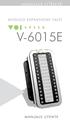 MANUALE UTENTE MODULO ESPANSIONE TASTI MANUALE UTENTE MANUALE UTENTE Descrizione Il modulo fornisce al telefono VOIspeed V-605 flessibilità e adattabilità, mediante l aggiunta di trenta tasti memoria facilmente
Istruzioni per l installazione Installation guide
 & Istruzioni per l installazione Installation guide KETRON X1 & XD9 Istruzioni per l apertura dello strumento Instructions to open the instrument Eseguire le operazioni adagiando lo strumento sopra un
TLR02. Dimmer per Led in tensione costante a 4 canali
 TLR02 Dimmer per Led in tensione costante a 4 canali DATI TECNICI Alimentazione Uscita Tipo di carico 12-24 Vdc Carico max 10A: 90 W (12Vdc 3Ch); 120 W (12Vdc 4Ch) 180 W (24Vdc 3Ch); 240 W (24Vdc 4Ch)
Prefiltri Prefilter ISTRUZIONI PER L USO OPERATING INSTRUCTIONS
 Prefiltri Prefilter PF ISTRUZIONI PER L USO OPERATING INSTRUCTIONS 1.Componenti 1.Components DESCRIZIONE DESCRIPTION 1 Semi guscio inferiore Bottom spherical shell flange 2 Cestello Basket 3 Guarnizione
MANUALE DI ISTRUZIONI
 Cantatooth ONE000004 - ONE000006 MANUALE DI ISTRUZIONI INSTRUCTIONS MANUAL 2 cantatooth 1. DESCRIZIONE PRODOTTO Parti Microfono Controllo Volume Controllo Riverbero Power On/Off 8.35in Cassa 2.83in Accessori
BDM Motorola MC32xxx User Manual
 BDM Motorola MC32xxx User Manual FG Technology 1/14 BDM Motorola MC32xxx Indice Index Premessa / Premise..................................................................... 3 Il modulo EOBD2 / The EOBD2
MB-PULSE 4 Product Manual MB-PULSE 4 Manuale Prodotto
 MB-PULSE 4 Product Manual MB-PULSE 4 Manuale Prodotto Table of Contents Indice 1. Introduction - Introduzione... 3 2. Technical Data Caratteristiche tecniche... 3 3. Installation Installazione... 4 4.
- - Istruzioni per l installazione Installation guide
 - - Istruzioni per l installazione Installation guide KETRON X4 & XD3 Istruzioni per l apertura dello strumento Instructions to open the instrument - Togliere le 6 viti. Remove the 6 screws. - Togliere
CCTV DIVISION. Guida Alla Lettura del Numero Seriale, Codice Prodotto, Versione Firmware, Versione Software, Codice Libretto
 CCTV DIVISION Guida Alla Lettura del Numero Seriale, Codice Prodotto, Versione Firmware, Versione Software, Codice Libretto How to Get Serial Number, Firmware Version, Product Code, Software Version, User
Istruzioni per l installazione Installation guide
 & Istruzioni per l installazione Installation guide KETRON SD5 & SD8 Istruzioni per l apertura dello strumento Instructions to open the instrument Eseguire le operazioni adagiando lo strumento sopra un
IT Installazione: queste istruzioni riportano importanti informazioni di sicurezza che devono essere comunicate al proprietario dell imbarcazione.
 MONTAGGIO TIMONERIA MECCANICA G26 RACK MECHANICAL STEERING SYSTEM G26 INSTALLATION Installazione: queste istruzioni riportano importanti informazioni di sicurezza che devono essere comunicate al proprietario
SACE Emax Operazioni preliminari - Preliminary Operations. 2 - Verifica contenuto kit - Kit content verify 1 OK 2 OK
 Doc. N SDH00400R090 - ECN0000674 - Rev. B SACE Emax Kit Morsettiera - E.-E4.-E6. Kit Klemmleiste - E.-E4.-E6. Kit Terminal Box - E.-E4.-E6. Kit Bornier - E.-E4.-E6. Kit Regleta De Bornes - E.-E4.-E6. -
1.6 DOOR PORTA 2190
 1.6 DOOR 2190 1.6 PORTA 2190 cover Coperchio macchina Macchina Frame Telaio Sliding wings Ante scorrevoli The first operation to carry out to install the door on your boat is the frame and the upper crossbar
USER MANUAL MANUALE D USO BE Additional 12-zone. keyboard for BM 2006 paging microphone. - - Tastiera addizionale per base microfonica BM 2006
 USER MANUAL MANUALE D USO -- Additional 12-zone BE 2012 keyboard for BM 2006 paging microphone - - Tastiera addizionale per base microfonica BM 2006 INDEX INDICE ENGLISH SAFETY PRECAUTIONS DESCRIPTION
User Guide Guglielmo SmartClient
 User Guide Guglielmo SmartClient User Guide - Guglielmo SmartClient Version: 1.0 Guglielmo All rights reserved. All trademarks and logos referenced herein belong to their respective companies. -2- 1. Introduction
UNIVERSITÀ DEGLI STUDI DI TORINO
 How to register online for exams (Appelli) Version updated on 18/11/2016 The academic programs and the career plan Incoming students can take exams related to the courses offered by the Department where
Enel App Store - Installation Manual - Mobile
 Model Design Digital Revolution Enel App Store - Installation Manual - Mobile V 1.1 Manual Questo documento contiene informazioni di proprietà di Enel SpA e deve essere utilizzato esclusivamente dal destinatario
MANUALE DI ISTRUZIONI MOVIMENTO VD51 Cronografo con secondi e minuti
 MANUALE DI ISTRUZIONI MOVIMENTO VD51 Cronografo con secondi e minuti FUNZIONAMENTO VD51 DISPLAY E PULSANTI DELLA CORONA Lancetta minuti Lancetta ore Lancetta secondi Lancetta minuti cronometro Lancetta
User s manual for art Manuale d uso per art. 3003
 User s manual for art. 3003 Manuale d uso per art. 3003 This page is intentionally left blank ita La Easy Control è un piccolo registratore DMX che può essere di grande utilità per piccole installazioni,
ACM-3000H2 BUILT-IN SWITCH
 www.trust.com START-LINE ACM-3000H2 USER MANUAL MULTI LANGUAGE Item 71148 Version 1.0 Visit www.trust.com for the latest instructions ACM-3000H2 BUILT-IN SWITCH 1 2 3 3B 4 3A 5mm 5 6 Live wire Live wire
Dimensioni 101mm x 71mm x 28mm (H) Alimentazione 12..24 Vac/Vcc Morsettiera o alimentatore plug, o da porta USB Connessioni lato RS232 e USB
 Sommario 1 Introduzione... 3 2 Dati tecnici... 3 2.1 Note generali di utilizzo... 3 3 DIMENSIONE E INSTALLAZIONE... 4 4 COLLEGAMENTI ELETTRICI... 5 4.1 Alternativa di collegamento lato PC... 5 4.2 Collegamento
Istruzioni per l installazione Installation guide
 & Istruzioni per l installazione Installation guide AVVERTENZE WARNINGS Prima di qualsiasi altra operazione verificare quale sistema operativo è installato nello strumento. Le diverse versioni sono le
Stchu-Moon 02 ISTRUZIONI DI MONTAGGIO / ASSEMBLY INSTRUCTIONS / INSTRUCTIONS DE MONTAGE / MONTAGEANLEITUNGEN / INSTRUCCIONES DE MONTAJE
 Stchu-Moon 02 pendant Ø 80/100 cm ISTRUZIONI DI MONTAGGIO / ASSEMBLY INSTRUCTIONS / INSTRUCTIONS DE MONTAGE / MONTAGEANLEITUNGEN / INSTRUCCIONES DE MONTAJE www.catellanismith.com AVVERTENZE Togliere la
RETROFIT KIT SCHINDLER
 RETROFIT KIT SCHINDLER - ETMA - TAM2 7IS-80428 13/03/2019 COMPONENTI / COMPONENTS Helpy 2W-V 12V MK (5HL-006) Cavo per kit retrofit Schindler / Cable retrofit kit Schindler (5KT-121) INSTALLAZIONE ETMA
RETROFIT KIT SCHINDLER
 RETROFIT KIT SCHINDLER - ETMA - TAM2 7IS-80428 30/01/2019 COMPONENTI / COMPONENTS Helpy 2W-V 12V MK (5HL-006) Cavo per kit retrofit Schindler / Cable retrofit kit Schindler (5KT-121) INSTALLAZIONE ETMA
Manuale di Installazione Installationshandbuch / Manual de Instalación V _E_SmartKEY_160914_v2.2
 SmartKEY Manuale di Installazione Installation manual / Notice technique Installationshandbuch / Manual de Instalación V.. 90050_E_SmartKEY_6094_v. PRINCIPIO DI FUNZIONAMENTO OPERATING PRINCIPLE Centralina