
MOC10982 Supporting and Troubleshooting Windows 10
|
|
|
- Martino Gentili
- 8 anni fa
- Просмотров:
Транскрипт
1 Tel MOC10982 Supporting and Troubleshooting Windows 10 Durata: 4.5 gg Descrizione Questo corso è progettato per fornire agli studenti le conoscenze e le competenze necessarie per supportare e risolvere i problemi di Windows 10 PC e dispositivi in un ambiente di dominio di Windows Server. Queste capacità comprendono la comprensione delle funzioni di Windows 10, come possono essere utilizzati in un ambiente Active Directory e come risolvere i problemi. PREREQUISITI Per partecipare con profitto a questo corso è necessario che gli allievi possiedano i seguenti prerequisiti: Fondamenti di networking, tra cui Transmission Control Protocol / Internet Protocol (TCP / IP), User Datagram Protocol (UDP) e Domain Name System (DNS). Regole di Microsoft Active Directory Domain Services (AD DS). Comprensione delle component di Public Key Infrastructure (PKI). Fondamentali di Windows Server 2012 R2. OverNet Education - Scheda tecnica evento: MOC10982, Documento creato in data 06/10/2017 Pagina 1
2 Elementi essenziali di Microsoft Windows Client; esperienza con Windows 10 o aver frequentato i corsi e OBIETTIVI Al termine del corso gli allievi saranno in grado di: Descrivere i processi coinvolti nella pianificazione e l'utilizzo di una metodologia di risoluzione dei problemi per Windows 10. Risoluzione dei problemi di avvio e servizi del sistema operativo su un PC di Windows 10. Risolvere i problemi relativi ai dispositivi hardware e driver di periferica. Risolvere i problemi di Windows 10 PC da remoto. Risolvere i problemi relativi alla connettività di rete. Risolvere i guasti di configurazione del client e i problemi di applicazione GPO. Risolvere i problemi relativi alle impostazioni utente. Risoluzione dei problemi di connettività remota. Risolvere i problemi relativi all accesso alle risorse da computer che si trovano al dominio. Risolvere i problemi relativi all accesso alle risorse da computer che non sono al dominio. Risolvere i problemi relativi all'installazione dell'applicazione e del funzionamento. Recuperare un PC con Windows 10. CONTENUTI Module 1: Implementing a Troubleshooting Methodology Pagina 2
3 This module explains how to describe the processes involved in establishing and using a troubleshooting methodology. Module also covers various Windows 10 fundamentals, high level architecture and often used troubleshooting tools. Module 2: Troubleshooting Startup Issues This module describes how to identify and troubleshoot issues that affect the Windows 10 operating system s ability to start, and how to identify problematic services that run on the operating system. It also describes how to use the Windows 10 advanced troubleshooting tools, collectively known as the Windows Recovery Environment (Windows RE). Module 3: Troubleshooting Hardware and Device Drivers This module explains how to support users that utilize a multitude of devices that run Windows 10. It will also describe how an operating system uses device drivers, and how you can troubleshoot hardware devices and device drivers. The module also covers how to monitor the reliability of a Windows 10 device and troubleshoot any issue that might occur. Module 4: Troubleshooting Remote Computers This module explores three ways in which you can remotely connect to and manage remote computers: Remote Desktop, Windows Remote Assistance, and Windows PowerShell remoting. Module 5: Resolving Network Connectivity Issues This module explains the tools that you can use to set up and troubleshoot both wired and wireless network connections more efficiently. This module also explains how to support your organization s network infrastructure, and how to use these tools to configure and troubleshoot network connections. Module 6: Troubleshooting Group Policy This module provides an overview of the Group Policy application and describes how to resolve issues in client configuration GPO application. Pagina 3
4 Module 7: Troubleshooting User Settings In this module, you will examine issues that can occur when users sign in, and you will also learn about how to troubleshoot the application of user settings. Module 8: Troubleshooting Remote Connectivity This module explains these technologies, describes common problems with their implementation and usage, and provides several possible mitigations for those problems. Module 9: Troubleshooting Resource Access Within a Domain This module explains how to resolve problems of resource access from computers that are domain members. It explains how to troubleshoot file permission issues, encrypting file system (EFS) and printer access issues. Module 10: Troubleshooting Resource Access for Non Domain Member Clients This module explains how to enable students to resolve problems of resource access from computers that are not domain-joined. Module 11: Troubleshooting Applications This module examines the issues, including application compatibility issues that affect a user s ability to install and run these two types of applications. This module also covers how users can resolve web browser related issues, specifically issues associated with both Internet Explorer and Microsoft Edge. Module 12: Maintaining Windows 10 This module discusses how to provide for the ongoing maintenance of Windows 10 operating systems. Module 13: Recovering Data and Operating System Pagina 4
5 This module explains how to use file recovery and troubleshoot deleted files. It also covers how to recover a Windows 10 computer. A chi è rivolto? Enterprise Desktop Support Technician (EDST) e professionisti IT che amministrano e supportano Windows 10 desktop, devices, utenti e risorse di rete e di sicurezza associati. Pagina 5
Esame 70-271 : Supporting Users Running the Microsoft Windows XP Operating Systems (corso Moc 2261)
 Esame 70-271 : Supporting Users Running the Microsoft Windows XP Operating Systems (corso Moc 2261) Questo corso ha lo scopo di fornire ai professionisti senza esperienza specifica di lavoro con Microsoft
Installing and Configuring Windows 10 (MOC 20697-1)
 Installing and Configuring Windows 10 (MOC 20697-1) Durata Il corso dura 4,5 giorni. Scopo Questo è un corso ufficiale Microsoft che prevede un docente approvato d Microsoft ed il manuale ufficiale Microsoft
Percorso MCSA WINDOWS 8 Windows 8 Configuring
 Percorso MCSA WINDOWS 8 Windows 8 Configuring Descrizione Questo corso fornisce agli studenti un'esperienza pratica con Windows 8. Fornisce un supporto completo per l'installazione, l'aggiornamento e la
CORSO MOC20347A: Enabling and Managing Office 365
 CORSO MOC20347A: Enabling and Managing Office 365 CEGEKA Education corsi di formazione professionale Cegeka S.p.A. [1/5] Enabling and Managing Office 365 This is a 5-day instructor-led training (ILT) course
Installing and Configuring Windows Server 2012 (MOC 20410)
 Installing and Configuring Windows Server 2012 (MOC 20410) Durata Il corso dura 4,5 giorni. Scopo Questo è un corso ufficiale Microsoft che prevede un docente approvato d Microsoft ed il manuale ufficiale
CORSO 50403: Implementing Active Directory Rights Management Services with Exchange and SharePoint
 CORSO 50403: Implementing Active Directory Rights Management Services with Exchange and SharePoint CEGEKA Education corsi di formazione professionale Implementing Active Directory Rights Management Services
Administering Windows Server 2012 (MOC 20411)
 Administering Windows Server 2012 (MOC 20411) Durata Il corso dura 4,5 giorni. Scopo Questo è un corso ufficiale Microsoft che prevede un docente approvato d Microsoft ed il manuale ufficiale Microsoft
MS WINDOWS SERVER 2008 - CONFIGURING, MANAGING AND MAINTAINING SERVERS
 MS WINDOWS SERVER 2008 - CONFIGURING, MANAGING AND MAINTAINING SERVERS UN BUON MOTIVO PER [cod. E103] Questo corso combina i contenuti di tre corsi: Network Infrastructure Technology Specialist, Active
CORSO MOC20415: Implementing a Desktop Infrastructure. CEGEKA Education corsi di formazione professionale
 CORSO MOC20415: Implementing a Desktop Infrastructure CEGEKA Education corsi di formazione professionale Implementing a Desktop Infrastructure Questo corso fornisce le competenze e le conoscenze necessarie
Corso: Planning and Managing Windows 7 Desktop Deployments and Environments Codice PCSNET: MSW7-3 Cod. Vendor: 6294 Durata: 5
 Corso: Planning and Managing Windows 7 Desktop Deployments and Environments Codice PCSNET: MSW7-3 Cod. Vendor: 6294 Durata: 5 Obiettivi In questo corso, gli studenti impareranno a progettare la distribuzione
Downloading and Installing Software Socio TIS
 Object: Downloading and Installing Software Socio TIS compiler: L.D. Date Revision Note April 17 th 2013 --- For SO XP; Win 7 / Vista step Operation: Image A1 Open RUN by clicking the Start button, and
MS OFFICE COMMUNICATIONS SERVER 2007 IMPLEMENTING AND MAINTAINING AUDIO/VISUAL CONFERENCING AND WEB CONFERENCING
 MS OFFICE COMMUNICATIONS SERVER 2007 IMPLEMENTING AND MAINTAINING AUDIO/VISUAL CONFERENCING AND WEB CONFERENCING UN BUON MOTIVO PER [cod. E603] L obiettivo del corso è fornire le competenze e conoscenze
CALENDARIO CORSI SEDE DI PISA Valido dal 01/06/2015 al 31/08/2015
 Corsi Programmati Codice (MOC) Titolo Durata (gg) Prezzo Date Prossime Edizioni Microsoft Windows Server 2012 10961 Automating Administration with Windows PowerShell 5 1700,00 08/06;06/07;07/09;19/10;
MS WINDOWS VISTA - DEPLOYING AND MANAGING THE MICROSOFT DESKTOP OPTIMIZATION PACKS
 MS WINDOWS VISTA - DEPLOYING AND MANAGING THE MICROSOFT DESKTOP OPTIMIZATION PACKS UN BUON MOTIVO PER [cod. E405] L obiettivo del Corso è fornire ai partecipanti la preparazione e le competenze necessarie
MS WINDOWS SERVER CONFIGURING AND TROUBLESHOOTING INTERNET INFORMATION SERVICES
 MS WINDOWS SERVER 2008 - CONFIGURING AND TROUBLESHOOTING INTERNET INFORMATION SERVICES UN BUON MOTIVO PER [cod. E704] L obiettivo del Corso è fornire ai partecipanti la preparazione e le competenze necessarie
Cisco Networking Academy Program. Nuovi Curricula CCNA ITIS E. MAJORANA CESANO MADERNO
 Cisco Networking Academy Program Nuovi Curricula CCNA ITIS E. MAJORANA CESANO MADERNO 1 Networking Academy Program 2.0 Portfolio 18 Corsi complessivi CAREERS Enterprise Networking CCNP Advanced Routing
MCSA. a. Fornitura di contributi didattici e schede di verifica su manuali cartacei.
 MCSA Microsoft Certified Systems Administrator Descrizione Il corso MCSA (Microsoft Certified Systems Administrator) delinea e certifica una figura professionale che amministra e gestisce ambienti complessi
Server Virtualization with Windows Server Hyper-V and System Center (MOC 20409)
 Server Virtualization with Windows Server Hyper-V and System Center (MOC 20409) Durata Il corso dura 4,5 giorni. Scopo Questo è un corso ufficiale Microsoft che prevede un docente approvato d Microsoft
Armando Iannone. Caponago (MI), 20867, Lombardia, Italia. Cellulare: 335-6439819. Email: [email protected]
 Armando Iannone Caponago (MI), 20867, Lombardia, Italia Cellulare: 335-6439819 Email: [email protected] Senior system engineer su Linux - Microsoft server 2003-2008 Aprile 2003 - oggi Orion Servizi
ORA1144 Oracle WebLogic Server 12c: Administration I
 Tel. +39 02 365738 [email protected] www.overneteducation.it ORA1144 Oracle WebLogic Server 12c: Administration I Durata: 5 gg Descrizione Questo corso insegna come installare e configurare Oracle
SBSAfg.exe nella cartella Tools del DVD Opzioni avanzate: Migration Mode Unattend Mode Attended Mode con dati pre-caricati
 SBSAfg.exe nella cartella Tools del DVD Opzioni avanzate: Migration Mode Unattend Mode Attended Mode con dati pre-caricati Collegare il router e tutti i devices interni a Internet ISP connection device
MS WINDOWS SERVER 2008 - DESIGNING A WINDOWS SERVER 2008 NETWORK INFRASTRUCTURE
 MS WINDOWS SERVER 2008 - DESIGNING A WINDOWS SERVER 2008 NETWORK INFRASTRUCTURE UN BUON MOTIVO PER [cod. E112] L obiettivo del Corso è fornire ai partecipanti la preparazione e le competenze necessarie
INSTALLARE PALLADIO USB DATA CABLE IN WINDOWS XP/ME/2000/98
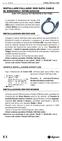 rev. 1.0-02/2002 Palladio USB Data Cable INSTALLARE PALLADIO USB DATA CABLE IN WINDOWS XP/ME/2000/98 (tutti i KIT, escluso KIT MOTOROLA V6x-T280) La procedura di installazione del Palladio USB Data Cable
Laboratorio di Amministrazione di Sistema (CT0157) parte A : domande a risposta multipla
 Laboratorio di Amministrazione di Sistema (CT0157) parte A : domande a risposta multipla 1. Which are three reasons a company may choose Linux over Windows as an operating system? (Choose three.)? a) It
Pubblicazioni COBIT 5
 Pubblicazioni COBIT 5 Marco Salvato CISA, CISM, CGEIT, CRISC, COBIT 5 Foundation, COBIT 5 Trainer 1 SPONSOR DELL EVENTO SPONSOR DI ISACA VENICE CHAPTER CON IL PATROCINIO DI 2 La famiglia COBIT 5 3 Aprile
Copyright 2012 Binary System srl 29122 Piacenza ITALIA Via Coppalati, 6 P.IVA 01614510335 - [email protected] http://www.binarysystem.
 CRWM CRWM (Web Content Relationship Management) has the main features for managing customer relationships from the first contact to after sales. The main functions of the application include: managing
http://technet.microsoft.com/itit/library/dd894353.aspx
 http://technet.microsoft.com/itit/library/dd894353.aspx Home Basic Home Premium Professional Enterprise / Ultimate Aero No Sì Sì Sì AppLocker No No No Sì Bitlocker No No No Sì Direct Access No No No
Codice Corso Titolo Corso Durata Ore totali Microsoft Sistemi Operativi Windows Server 2008 Windows Server 2003 Windows 7
 Codice Corso Titolo Corso Durata Ore totali Microsoft Sistemi Operativi Windows Server 2008 MOC10159 Updating Windows Server 2008 Technology Skills to R2 3 24 MOC10215 Implementing and Managing Server
Introduzione all ambiente di sviluppo
 Laboratorio II Raffaella Brighi, a.a. 2005/06 Corso di Laboratorio II. A.A. 2006-07 CdL Operatore Informatico Giuridico. Introduzione all ambiente di sviluppo Raffaella Brighi, a.a. 2005/06 Corso di Laboratorio
Single Sign-On su USG
 NEXT-GEN USG Single Sign-On su USG Windows Server 2008 e superiori Client SSO ZyXEL, scaricabile da ftp://ftp.zyxel.com/sso_agent/software/sso%20agent_1.0.3.zip già installato sul server Struttura Active
Configurazione di Windows per comunicazioni OPC Server-Client
 Configurazione di Windows per comunicazioni OPC Server-Client Come impostare il sistema e DCOM Windows per utilizzare la comunicazione OPC di WinCC RT Advanced / WinCC RT Flexible 1 1. Introduzione Utilizzando
WIRELESS MBUS RFM-RX2 RECEIVER - Device Manual RICEVITORE WIRELESS MBUS RFM-RX2 Manuale del prodotto
 WIRELESS MBUS RFM-RX2 RECEIVER - Device Manual RICEVITORE WIRELESS MBUS RFM-RX2 Manuale del prodotto Table of Contents Indice 1. Introduction - Introduzione... 3 2. System requirements Requisiti di sistema...
Quando mi collego ad alcuni servizi hosting ricevo un messaggio relativo al certificato di protezione del sito SSL, come mai?
 IT FAQ-SSL Quando mi collego ad alcuni servizi hosting ricevo un messaggio relativo al certificato di protezione del sito SSL, come mai? Il certificato SSL relativo ai servizi hosting è stato rinnovato
Replica di Active Directory. Orazio Battaglia
 Orazio Battaglia Active Directory è una base di dati distribuita che modella il mondo reale della organizzazione. Definisce gli utenti, i computer le unità organizzative che costituiscono l organizzazione.
Corso ufficiale Installing, Configuring and Manage VMWare 6
 Percorso di Certificazione VMWare (VCP 6) ITCore Group in esclusiva, ha ideato un percorso formativo rivolto a coloro che desiderano ottenere la certificazione VMware Certified Professional 6-Data Center
CABIN CREW TRAINING COMMUNICATION
 Gentili colleghi, pregasi prendere visione dei seguenti aggiornamenti training: CABIN CREW A: Cabin Crew Members CC: F.O.P.H., Crew Training P.H., Safety Manager, Compliance Monitoring Manager, Cabin Crew
ECVUSBO MANUALE DEL PRODOTTO DEVICE MANUAL
 ECVUSBO MANUALE DEL PRODOTTO DEVICE MANUAL INDICE TABLE OF CONTENTS 1. Introduzione... pag. 3 1. Introduction... pag. 3 2. Requisiti di sistema... pag. 3 1. System requirements... pag. 3 3. Installazione...
Plugin Single Sign-On
 NEXT-GEN USG Plugin Single Sign-On Configurazione Agent SSO su AD Verificare di avere l ultima release del client SSO installato su Windows Server. AL momento di redigere la guida la più recente è la 1.0.3
SHAREPOINT INCOMING E-MAIL. Configurazione base
 SHAREPOINT INCOMING E-MAIL Configurazione base Versione 1.0 14/11/2011 Green Team Società Cooperativa Via della Liberazione 6/c 40128 Bologna tel 051 199 351 50 fax 051 05 440 38 Documento redatto da:
How to use the WPA2 encrypted connection
 How to use the WPA2 encrypted connection At every Alohawifi hotspot you can use the WPA2 Enterprise encrypted connection (the highest security standard for wireless networks nowadays available) simply
Sistema modulare per visualizzazione prezzi carburanti.
 Sistema modulare per visualizzazione prezzi carburanti. La gamma NAUTILUS, nata dall esperienza maturata dalla nostra azienda in oltre 36 anni di attività nella progettazione e produzione di sistemi di
User Guide Guglielmo SmartClient
 User Guide Guglielmo SmartClient User Guide - Guglielmo SmartClient Version: 1.0 Guglielmo All rights reserved. All trademarks and logos referenced herein belong to their respective companies. -2- 1. Introduction
Corso: Advanced Solutions of Microsoft SharePoint Server 2013 Codice PCSNET: MSP2-5 Cod. Vendor: 20332 Durata: 5
 Corso: Advanced Solutions of Microsoft SharePoint Server 2013 Codice PCSNET: MSP2-5 Cod. Vendor: 20332 Durata: 5 Obiettivi Descrivere le funzionalità di base di SharePoint 2013 Pianificare e progettare
Your home comfort has a new shape. Find out how it works
 Your home comfort has a new shape Find out how it works CUBODOMO allows you to manage and monitor your entire home s temperature, from WHEREVER YOU ARE CUBODOMO ti consente di gestire e monitorare la temperatura
ELENCO DELLE AREE DI INSEGNAMENTO PER DIPLOMATI DI MATERIE NON MILITARI INCLUSE NEI CORSI IN PROGRAMMAZIONE PRESSO LA SCUOLA TLC FFAA DI CHIAVARI
 ELENCO DELLE AREE DI INSEGNAMENTO PER DIPLOMATI DI MATERIE NON MILITARI INCLUSE NEI CORSI IN PROGRAMMAZIONE PRESSO LA SCUOLA TLC FFAA DI CHIAVARI TRA L 01/01/2016 E IL 31/12/2016 AREA FORMATIVA / TIPOLOGIA
Add workstations to domain. Adjust memory quotas for a process. Bypass traverse checking. Change the system time. Create a token object
 SeTcb Act as part of the operating system Consente ad un processo di assumere l identità di un qualsiasi utente ottenere così l accesso alle risorse per cui è autorizzato tale utente SeMachineAccount SeIncreaseQuota
Reti e Domini Windows 2000. Corso di Amministrazione di Reti A.A. 2002/2003
 Reti e Domini Windows 2000 Corso di Amministrazione di Reti A.A. 2002/2003 Materiale preparato utilizzando dove possibile materiale AIPA http://www.aipa.it/attivita[2/formazione[6/corsi[2/materiali/reti%20di%20calcolatori/welcome.htm
Mod. 1067 INTERFACCIA USB/KEY USB/KEY INTERFACE. Sch./Ref.1067/003
 Mod. 1067 DS1067-019 LBT8388 INTERFACCIA USB/KEY USB/KEY INTERFACE Sch./Ref.1067/003 ITALIANO DESCRIZIONE GENERALE L interfaccia 1067/003 consente di collegare alla Centrale 1067/032 o 1067/042 (ver. 2.00
How to connect SL Controllers to your computer
 How to connect SL Controllers to your computer Follow these instructions to enable the best connection between the SL Controller and your computer. 1 3 2 1. Connect the instrument to an electrical outlet
ECVCON MANUALE DI INSTALLAZIONE INSTALLATION MANUAL
 ECVCON MANUALE DI INSTALLAZIONE INSTALLATION MANUAL INDICE ECVCON Introduzione... pag. 3 Caratteristiche... pag. 4 Messa in funzione... pag. 6 Inserimento della SIM... pag. 6 Connessione al PC per la prima
Guida all installazione rapida
 Italian 1. Guida all installazione rapida Requisiti del sistema Il PC deve essere attrezzato con quanto segue per configurare Thecus YES Box N2100: Unità CD-ROM o DVD-ROM Porta Ethernet collegata ad un
RenderCAD S.r.l. Formazione
 Descrizione Il corso affronta le caratteristiche di Oracle9i e Oracle9i Release 2. In questo corso, rivolto ai database administrator (DBA) Oracle, vengono descritte in modo approfondito le principali
http://www-5.unipv.it/eduroam/
 EduRoam - UniPv http://www-5.unipv.it/eduroam/ Page 1 of 1 30/01/2014 EduRoam è un servizio internazionale che permette l'accesso alla rete wireless agli utenti mobili (roaming users) in tutte le organizzazioni
Resources and Tools for Bibliographic Research. Search & Find Using Library Catalogues
 Resources and Tools for Bibliographic Research Search & Find Using Library Catalogues November 28, 2011 Donata Pieri Index Definition University of Padova Library System Catalogue CaPerE E-journals Catalogue
MS SQL SERVER 2005 - UPGRADING TO MICROSOFT SQL SERVER 2005
 MS SQL SERVER 2005 - UPGRADING TO MICROSOFT SQL SERVER 2005 UN BUON MOTIVO PER [cod. E316] Lo scopo di questo corso non MOC è fornire ai database professionals che lavorano in realtà di tipo enterprise
Posta elettronica per gli studenti Email for the students
 http://www.uninettunouniverstiy.net Posta elettronica per gli studenti Email for the students Ver. 1.0 Ultimo aggiornamento (last update): 10/09/2008 13.47 Informazioni sul Documento / Information on the
CCTV DIVISION GUIDA RAPIDA PER LA CONFIGURAZIONE DELL IP STATICO SU SISTEMI TVCC QUICK GUIDE FOR STATIC IP CONFIGURATION ABOUT CCTV SYSTEM
 CCTV DIVISION GUIDA RAPIDA PER LA CONFIGURAZIONE DELL IP STATICO SU SISTEMI TVCC QUICK GUIDE FOR STATIC IP CONFIGURATION ABOUT CCTV SYSTEM ITALIANO Principali Step per la configurazione I dispositivi di
a. Fornitura di contributi didattici e schede di verifica su manuali cartacei.
 MCDST Microsoft Certified Desktop Support Technician Descrizione Il corso MCDST (Microsoft Certified Desktop Support Technician) delinea e certifica una figura professionale di supporto all utente ed è
Guida utente User Manual made in Italy Rev0
 Guida utente User Manual Rev0 made in Italy Indice/Index Informazioni generali General Info... 3 Guida Rapida per messa in funzione Start Up procedure... 3 Login Login... 3 Significato dei tasti Botton